Manage sign-ins and passwords
Save passwords and cards so Polar can sign in and check out for you, and see what happens when a site asks for a code.
Polar signs in to sites for you while it works, using the accounts you're already signed in to and the logins you've saved. This page covers how that works and how to manage your saved passwords and cards.
Does Polar see my passwords?
No. When Polar uses a saved login, the browser fills in the password and the agent never sees it. Saved cards work the same way: the browser fills in the card and the agent never sees the number.
Polar never asks for a password in chat. If you paste one into a chat, Polar can read it like any other message, so save it in Settings → Passwords instead.
How does Polar sign in to sites?
Polar tries the quickest way first:
- An account you're already signed in to on the site.
- An account the site's sign-in page offers, or single sign-on, like signing in with Google.
- A login saved in Settings → Passwords.
If none of these work, Polar asks you to sign in yourself.
What happens when a site asks for a code?
Polar sends you a desktop notification and shows a card in the task. Type the code from your phone or email into the card and click Submit. Polar enters it on the site.
For a step only you can do, like a puzzle CAPTCHA or a sign-in Polar can't finish, the card has Open browser. Click it, do the step in the tab, then click Done. Polar clicks through simple "verify you're human" checks on its own.
These cards also show under Needs input on New task, so you can answer there.
Save and manage passwords
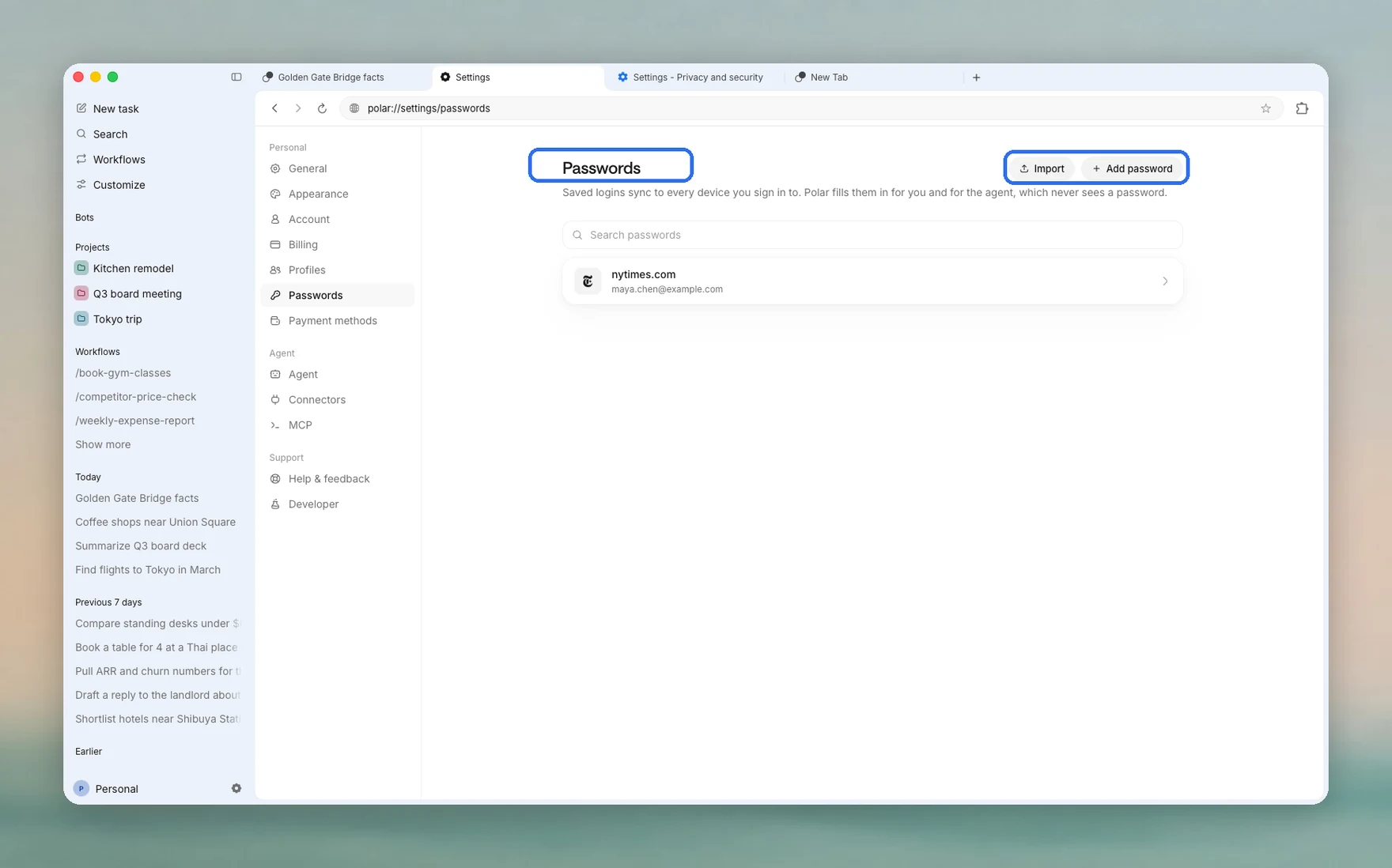
Open Settings → Passwords. Saved logins sync to every device you sign in to, and tasks on Polar's Computer can use them too.
- Click Add password to save one by hand.
- Click Import to add passwords from a CSV file you exported from another browser or password manager. If some logins are already saved, Polar asks which ones to replace.
- Click a saved login to see, edit, or delete it.
When you sign in to a site yourself, Polar offers to save the password. To bring over everything from another browser at once, see Import from another browser.
I use a password manager extension. Can Polar still sign in?
Yes. While an extension handles passwords in your tabs, Polar won't offer to save logins you type. The agent still signs in with the logins saved in Settings → Passwords, so add the ones you want Polar to use there.
Save cards for checkout
Open Settings → Payment methods to add a card. Saved cards sync to every device you sign in to, and Polar fills them in for you and for the agent at checkout. When you pay on a site yourself, Polar offers to save the card.
If a card's security code isn't saved, Polar asks you to type it in the tab.