Run tasks on Polar's Computer
Run tasks and workflows on Polar's Computer in the cloud, so they keep going when your own computer is closed.
Polar's Computer is a separate computer in the cloud that runs your tasks. Use it when a task or workflow should keep going while your Mac or PC is closed. It used to be called Polar Cloud.
Run a task on Polar's Computer
Below the message box, click the name of the computer the task will run on, like This Mac or This PC. Under Run on, pick Polar's Computer. It shows Always online.
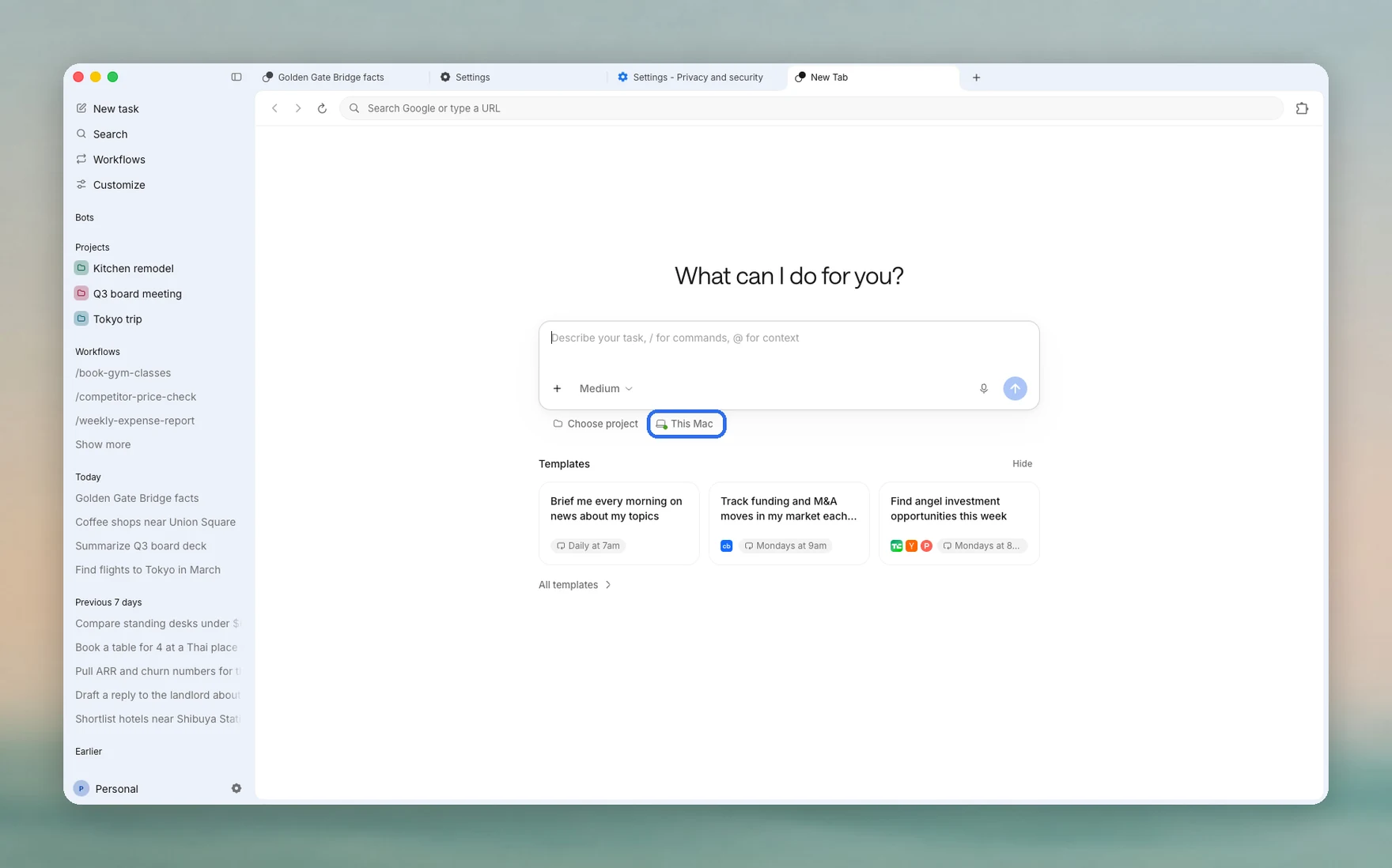
Polar remembers your pick for the next task you start. The same list shows your other computers where Polar is installed. See Use Polar on multiple devices.
Move a task to another computer
Open the task and click the computer's name below the message box, then pick where it should go. A task stays on the computer it runs on, so your follow-ups run there too. If Polar is in the middle of a step, you can switch once that step is done.
Run a workflow on Polar's Computer
On the workflow's page, set Runs on to Polar's Computer. It then runs on schedule even when your computer is closed. See Automate with workflows.
Do I need to sign in to sites again?
Yes, for some sites. Polar's Computer keeps its own sign-ins, separate from your computer's.
It keeps one browser for each profile. Once you sign in to a site in one task there, you're signed in for your other tasks on Polar's Computer, and you stay signed in next time.
Your saved passwords sync to Polar's Computer, so Polar can use them to sign in there. When a task needs you, like for a sign-in or a 2FA code, Polar pauses and asks. See Manage sign-ins and passwords.
Which sites don't work on Polar's Computer?
Some sites, like LinkedIn and Amazon, may block it. For those, run the task on your own computer.
How do I watch a task on Polar's Computer?
Open the task. Its browser pane shows the page Polar is working on and names the computer it's on. Tasks on Polar's Computer show up in your sidebar like any other task.
What happens if I close my laptop during a task?
It depends on where the task runs:
- Polar's Computer: nothing changes. The task keeps going.
- Your computer: the task waits. When you open your laptop again, Polar picks the task back up by itself a few seconds later. You don't need to type "continue."
While a task waits for a computer that's offline, the chat says Waiting for that computer. It also offers to move the task to a computer that's online, like Move to Polar's Computer, or to Stop it.
Does Polar's Computer cost extra?
No. A task uses credits for the work Polar does and its effort level, not for where it runs. See Manage plans and credits.
Does my computer need to be on?
Not for tasks and workflows on Polar's Computer. For a task on your own computer, keep your laptop open, or keep a desktop computer on, until it finishes. A workflow on your computer runs while the computer is awake and Polar is open.