Changelog

What's new in each release of Polar.

0.2.6

A new sidebar, and answer waiting tasks from New Task

Polar has a new sidebar and a new look. And tasks waiting on you now show up on New Task, where you can answer them.

A new sidebar

The sidebar now has sections for Projects, Workflows, and your tasks by day. Each project has its own color and keeps its workflows and tasks together. Rest the pointer on a task or workflow to see where it stands, like the question it's waiting on. The New task row shows how many tasks need you, even when the sidebar is collapsed to icons.

Polar also has new type and icons throughout, on Mac and Windows. On Windows 11, the window frame is translucent glass. Light and dark mode now apply to every profile at once.

Answer waiting tasks from New Task

When tasks are waiting on you, New Task shows them as cards under the message box. Answer a question, connect an app, or reply right in the card, or open the task. Use the arrows or swipe to move between cards, and dismiss one to come back to it later.
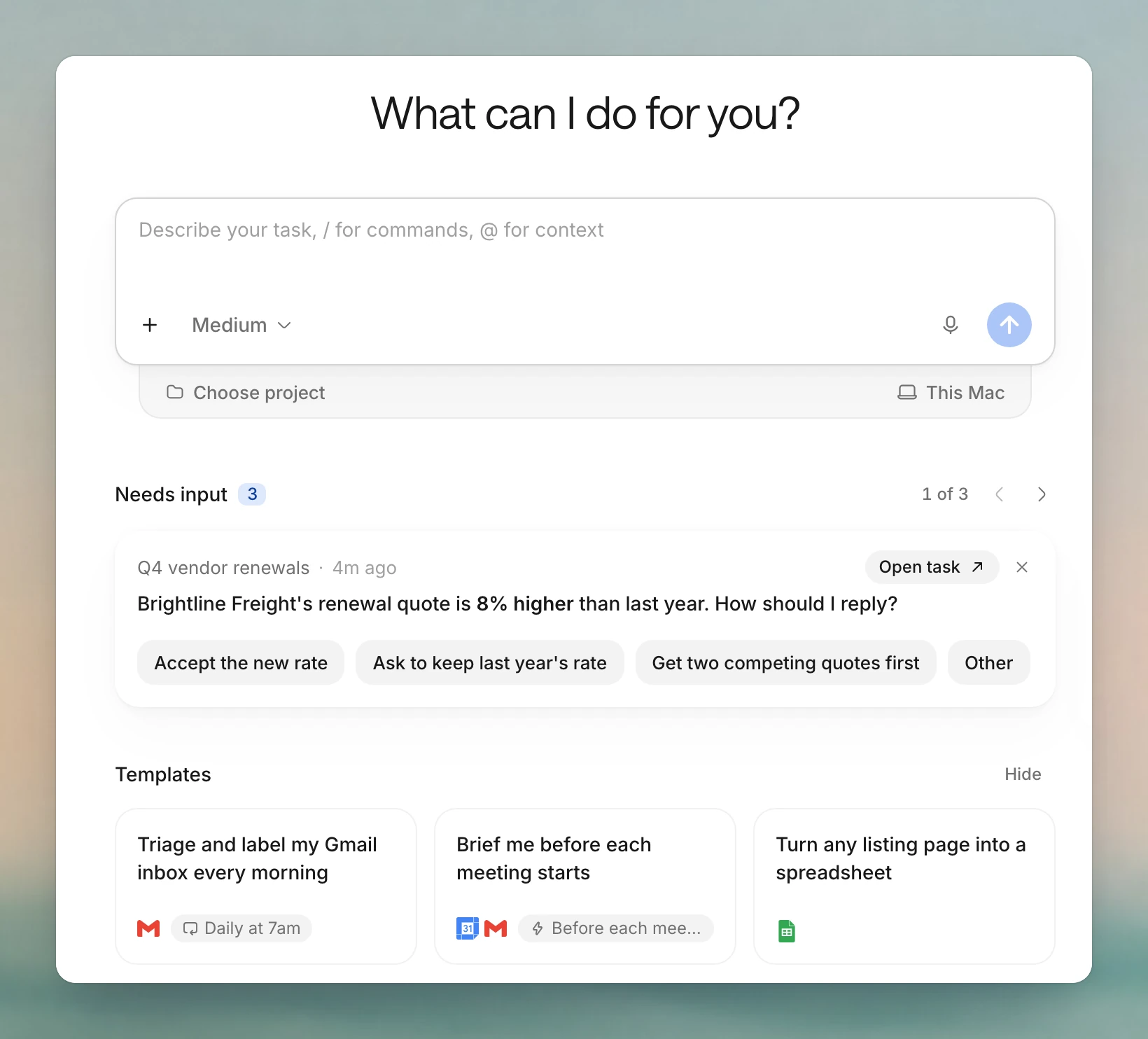
New Task with a question from a waiting task, above three suggested templates

Archive workflows

Archive a workflow from its ⋯ menu on the Workflows page to stop it without losing it. It keeps its triggers, settings, and run history, and you can unarchive it any time. Pick Archived in the filter to see archived workflows. You can also ask Polar in chat to archive one.

If your computer stays offline long enough for a trigger's runs to pile up, Polar no longer starts a new task for each one it skips. The workflow's Recent runs shows them as one line.

Also new

  • Templates, redesigned. Templates has Tasks and Skills tabs, and each template opens its own page. New Task suggests a few to start from, and you can hide them.
  • Customize in one place. Connectors, Instructions, and Skills are tabs on the Customize page.
  • Import from Aside. Settings → Profiles → Import now lists Aside.
  • Credits for getting started. New users earn 100 credits for each step they finish in the sidebar's Get started list, like connecting an app or running a workflow.
  • Follow-ups from webhooks. A webhook call can name the task an earlier call started. Its input becomes the next message in that task, even while it runs.
  • Faster Low. Tasks on Low run faster.
  • Fewer sign-in hand-offs. Polar tries the accounts you're already signed in to, and single sign-on, before asking you to sign in yourself.

Connectors

New: Buzz. GitHub can now open, review, and merge pull requests, create branches, and read CI logs. QuickBooks can connect more than one company. Monday connects again, and Webflow and HubSpot work again.

Fixes

  • A connected app no longer drops out of a task after a brief connection hiccup.
  • The emoji picker works in text fields on web pages.
  • New tabs no longer flash black as they open.
  • Quoted text in Polar's replies keeps its paragraph breaks.
  • Prompts from extensions and picture-in-picture windows now respond to clicks.
  • The Chrome Web Store no longer asks you to switch to Chrome.
  • Opening a Polar Cloud task no longer briefly shows it as in use on another device.
  • If you quit and reopen Polar during a task, the task continues in seconds instead of after about two minutes.
0.2.4

Queue or steer follow-ups, and move tasks between computers

Here's what's new from 0.2.2 to 0.2.4. You can send a follow-up into a running task without stopping it. And you can move a task to another of your computers or to Polar Cloud.

Queue or steer your follow-ups

While a task runs, a new message can wait for the task to finish (Queue) or join it right away (Steer). Steering doesn't stop the task. Polar reads your message as soon as it finishes its current step.

Pick what Enter does in Settings → Agent → Follow-up behavior. ⌘↵ does the other one for a single message (Ctrl+Enter on Windows). A queued message has a Steer button, and its ⋯ menu lets you edit it or change your default.

Move a task to another computer

+ → Run on now lists each of your computers that's online, as well as Polar Cloud. A task stays on the computer it runs on, so follow-ups run there too. If that computer is offline, the chat tells you and offers to move the task to one that's online or to Polar Cloud.

Polar Cloud also keeps one browser for each profile now. Sign in to a site in one cloud task and you're signed in for the others, and you stay signed in next time.

Also new

  • Use the agent's other tabs. While a task runs, only the tab the agent is working in is locked. You can click and type in its other tabs.
  • Quieter agent tabs. Agent tabs only play sound while you're viewing them in the task pane.
  • Jump to unread chats. ⌥⇧↓ and ⌥⇧↑ open the next and previous unread chat in the sidebar (Alt+Shift on Windows).
  • Drop files anywhere. On a new chat, drop files anywhere on the page to attach them.
  • Take back a message. If you stop a task right after sending, before Polar does anything, your message goes back in the box with its attachments.
  • Share what Polar made. Polar can turn a file it made into a link anyone can open. It asks you first.
  • Open Polar from emails. Links in Polar emails open the app when it's installed.
  • Seats for new teams. New teams give each member a Standard or Premium seat with its own monthly credits, and top-ups are shared. Existing teams don't change.
  • Readable trigger runs. A workflow run started by an app event shows the event's details as text instead of raw data.
  • Setup picks up where you left off. If you quit Polar before finishing setup, it continues from the same step.

Connectors

New: Bland AI. GitHub can now search issues and pull requests and comment on them. iMessage can send images and files.

Fixes

  • Long chats open in seconds instead of sitting on a loading screen.
  • A chat no longer gets stuck after the AI model declines a message. Your message goes back in the box so you can rephrase it.
  • After you quit and reopen Polar, you stay signed in to sites like Okta and Microsoft that use session-only sign-ins.
  • Document previews open at the right page size and zoom with ⌘+ and ⌘−. Edits in the file editor are no longer lost, and previews only close when you click outside them on purpose.
  • On Windows, precision touchpads scroll like they do in Chrome, middle-click autoscroll works, and maximized windows no longer leave a gap at the edges.
0.2.1

Work with files on your computer, and connect apps in bulk

Polar can now work with files on your computer and look back at your past chats. And you can connect a batch of apps at once.

Work with files on your computer

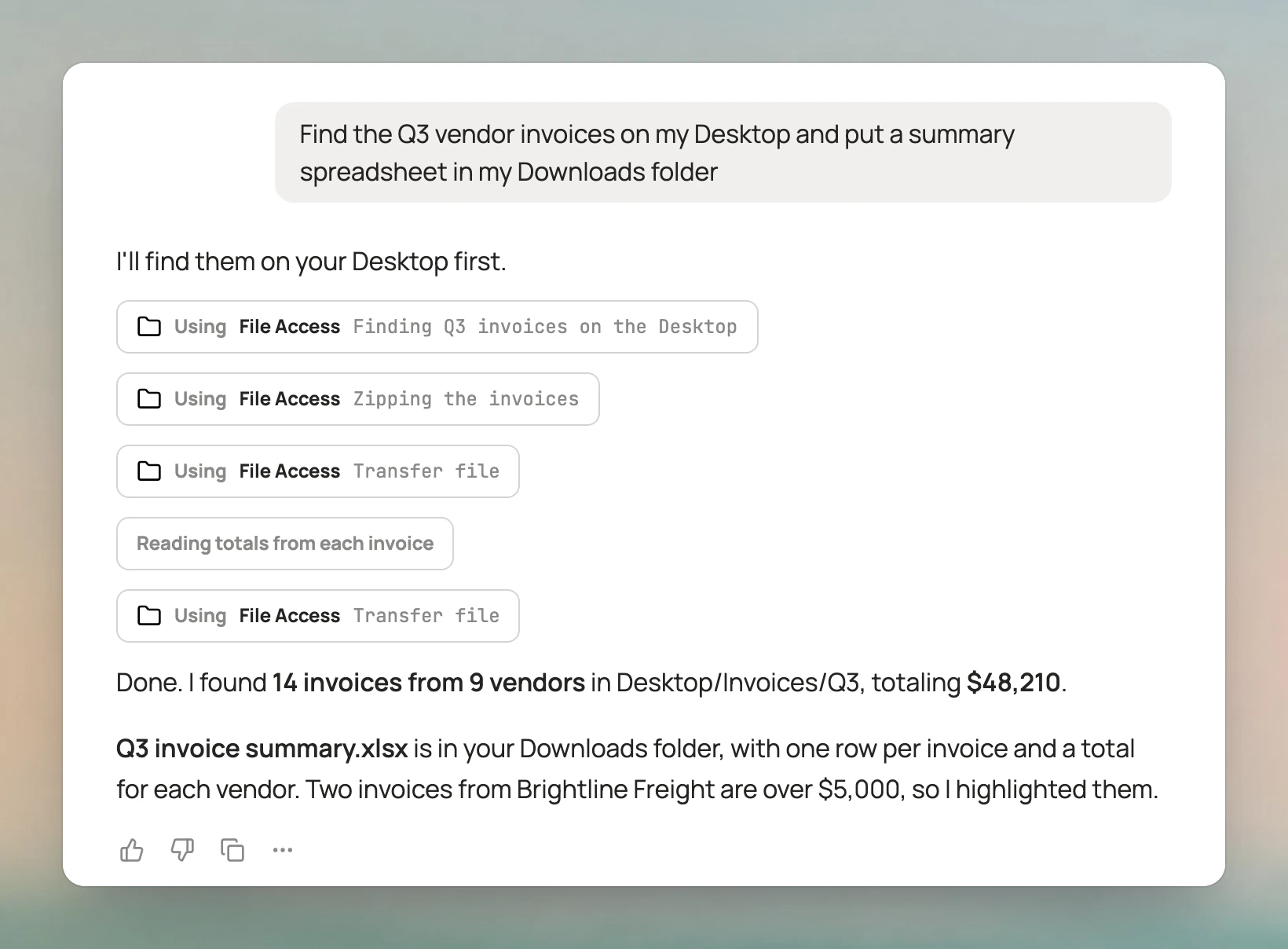
The new File Access connector lets Polar find files on your Mac or Windows PC, save what it makes to your Downloads folder, and run commands for you. Turn it on in Customize → Connectors. It works while Polar is open on that computer, and runs commands without asking each time.

Polar finding invoices on the Desktop and saving a summary spreadsheet to Downloads

Polar can look back at your past chats

Mention something from before, like "same as last time," and Polar finds it in your earlier chats, even details it didn't show you then. This works for chats from this update on.

Connect many apps at once

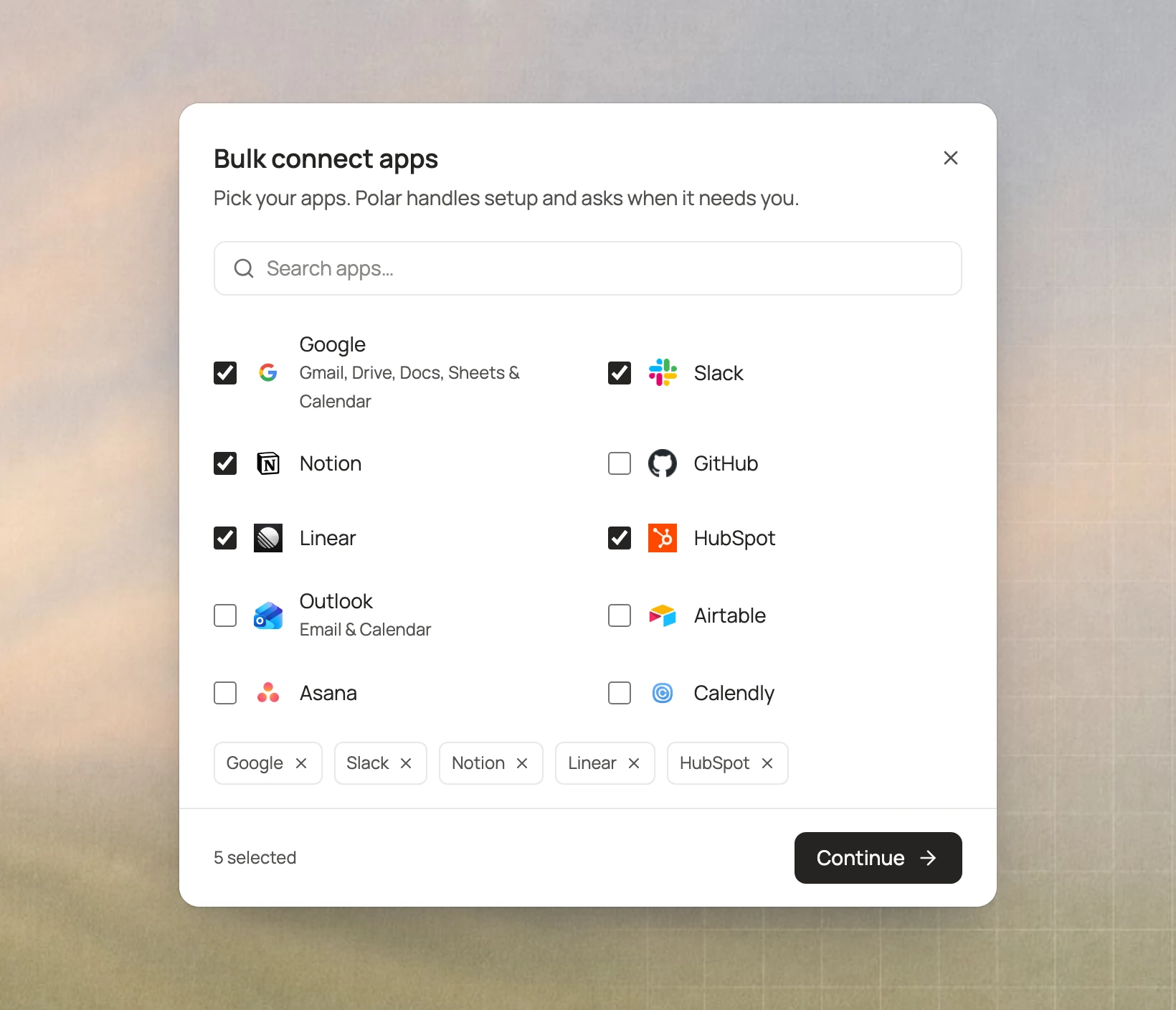
Click Bulk connect on the Connectors page and pick your apps. Polar signs in to each one with the accounts you're already signed in to, and only asks when it needs you, like for a 2FA code.

Bulk connect with Google, Slack, Notion, Linear, and HubSpot selected

Also new

  • Workflows in Polar Cloud. When Polar sets up a workflow in chat, it tells you whether it runs on your computer or in Polar Cloud.
  • Workflow runs resume too. If closing your laptop cuts off a workflow run, it picks up when you're back.
  • Faster Polar Cloud tasks. Polar starts on the task while the cloud browser boots.

Fixes

  • GitHub, Stripe, Sentry, Asana, Airtable, Clay, Superhuman, and Ramp connectors work fully again.
  • Fixes an issue where a new task could take a few minutes to start when Polar was busy.
  • The sidebar loads your tasks on its own once you're back online.
  • Switching a chat from Low to a higher level no longer fails in some chats.
0.2.0

Trigger workflows from Gmail and Slack, and auto-resume tasks

Workflows can now run when a new email arrives in Gmail or a message is posted in Slack. And if you close your laptop mid-task, the task picks back up when you open it.

Workflow triggers

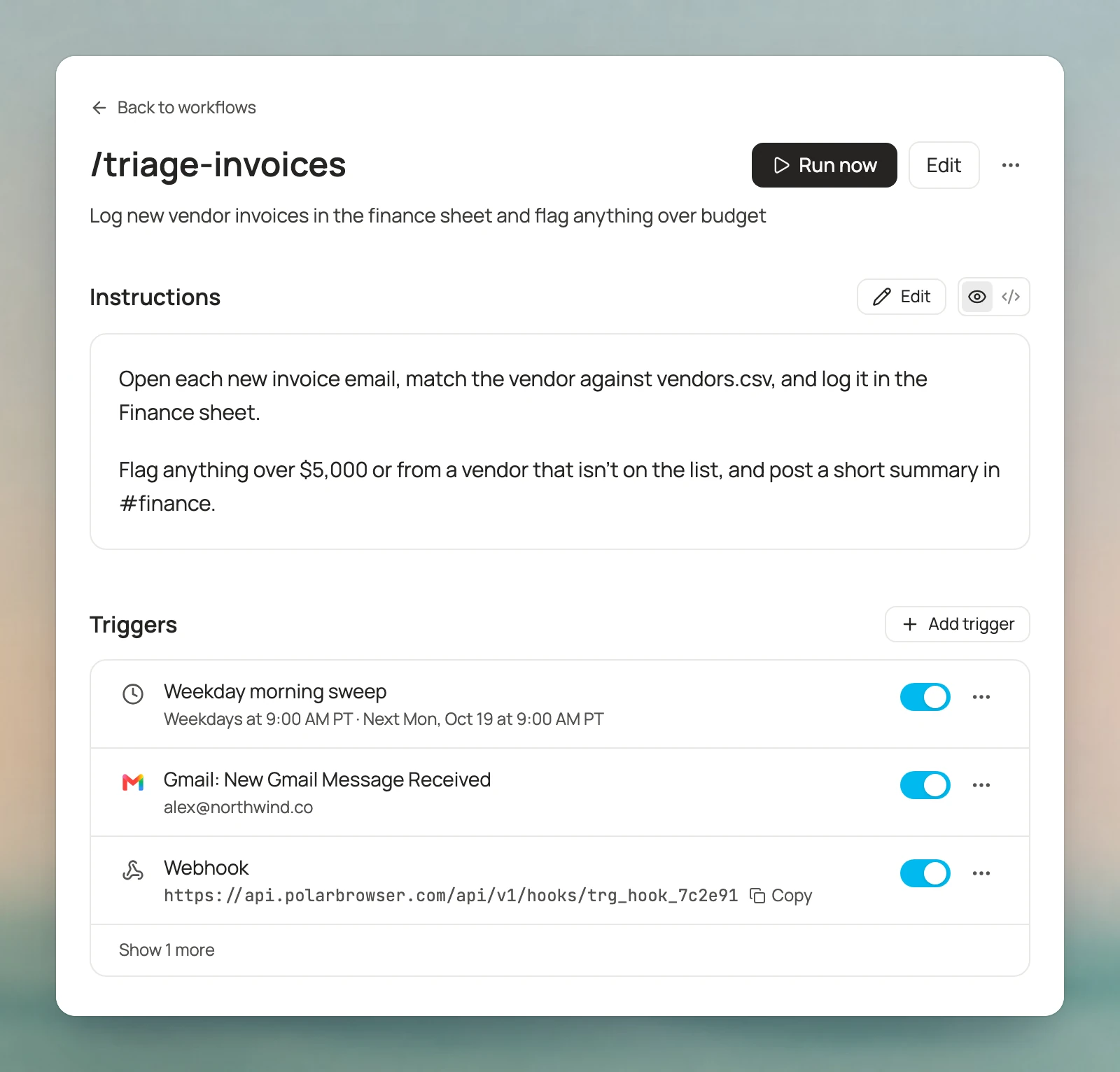
A workflow can now run when something happens in your apps, like a new email or a Slack message. Each workflow can have several triggers:

  • App events from 23 apps, including Gmail, Google Calendar, Sheets, Slack, Outlook, HubSpot, Salesforce, and Zoom.
  • Webhooks, so Zapier, n8n, or your own code can start a run.
  • Schedules that repeat or run once.

You can pause each trigger on its own. If your computer is asleep when a trigger fires, the run waits until it's back. You can also ask Polar in chat to set up a trigger for you.

A workflow with a weekday schedule, a Gmail trigger, and a webhook

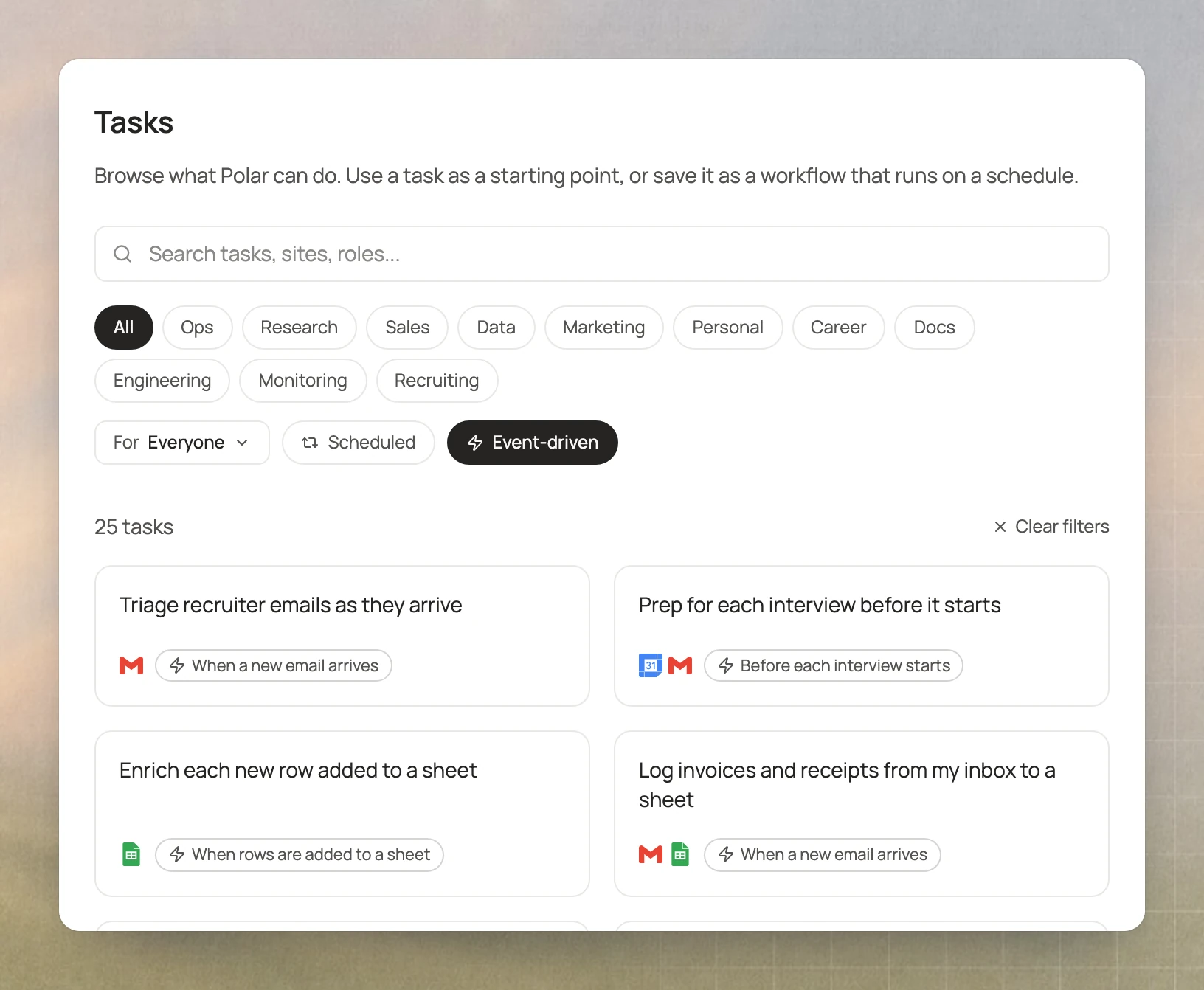
25 templates that run on events

There are 25 new templates that run when something happens. For example, one sorts recruiter emails as they arrive. Another turns bug reports in Slack into issue drafts. Pick Event-driven in Templates to see them all.

Templates filtered to event-driven workflows

Close your laptop, and tasks pick up where they left off

Closing your laptop no longer ends a task. When you open it again, Polar continues the task by itself a few seconds later. You don't need to type "continue." This works as long as you're back within a day.

If your Mac only drops off for a moment, the task just waits and keeps going.

Also new

  • Projects. Right-click a chat in the sidebar to add it to a project or move it.
  • Google passwords. Polar now offers to save your password when you sign in to Google.
  • Safer social accounts. On LinkedIn, Instagram, and Facebook, the agent works at a human pace to keep your account safe.

Fixes

  • Zapier, Linear, PostHog, Apollo, Webflow, and Cloudflare connectors work again.
  • On Windows, firewall and antivirus apps stop asking for permission after every update.
  • The sidebar loads faster.
0.1.101

Team skills and Polar Cloud for everyone

Here's what's new from 0.1.99 to 0.1.101. You can share skills with your team. And anyone can run tasks on Polar Cloud.

Share skills with your team

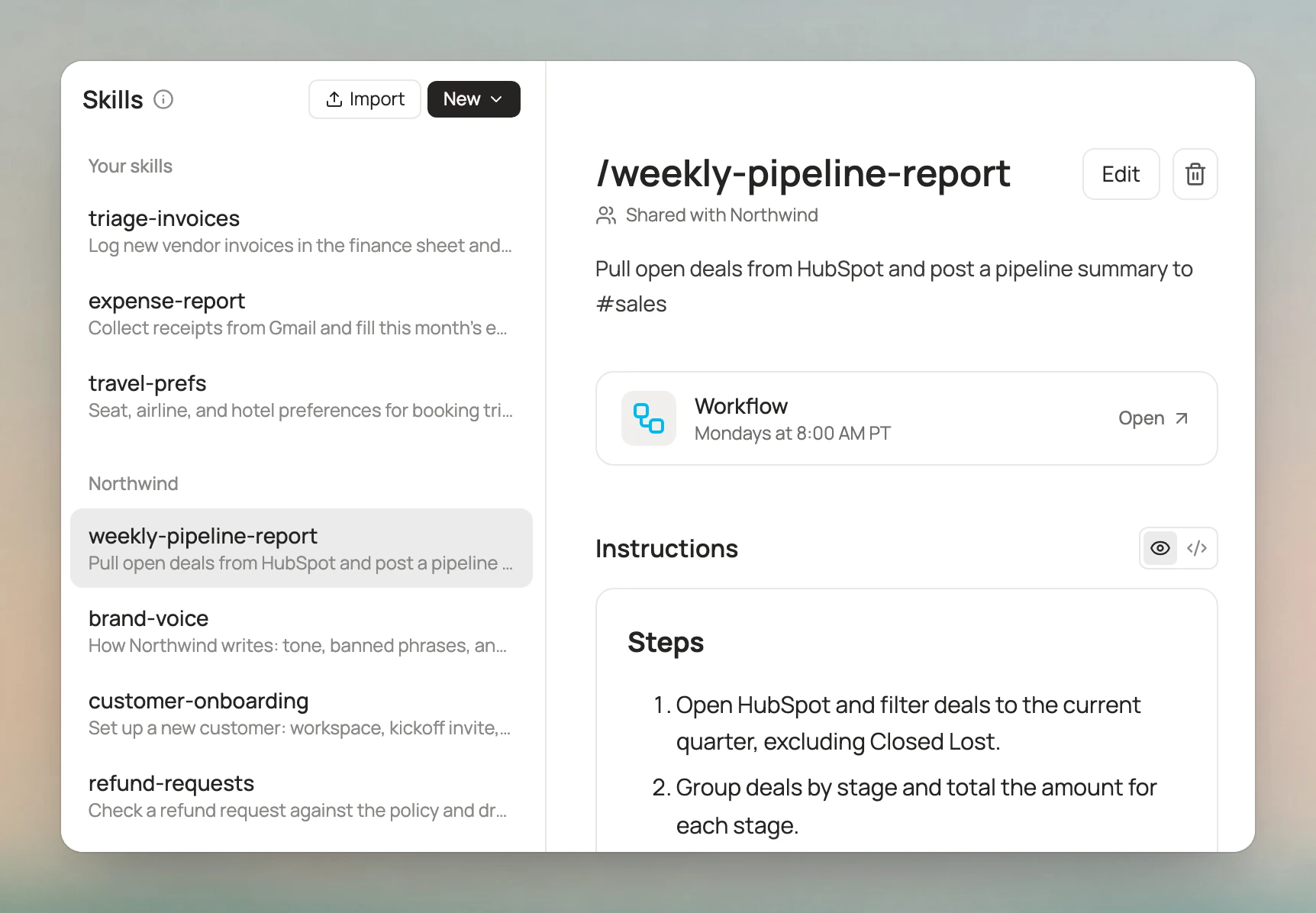
Teams now have their own section on the Skills page. Drag a skill into it to share it. Everyone on the team can use it and build their own workflow on it. Your schedules and run history stay your own.

A team skill shared with Northwind, next to personal skills

Polar Cloud for everyone

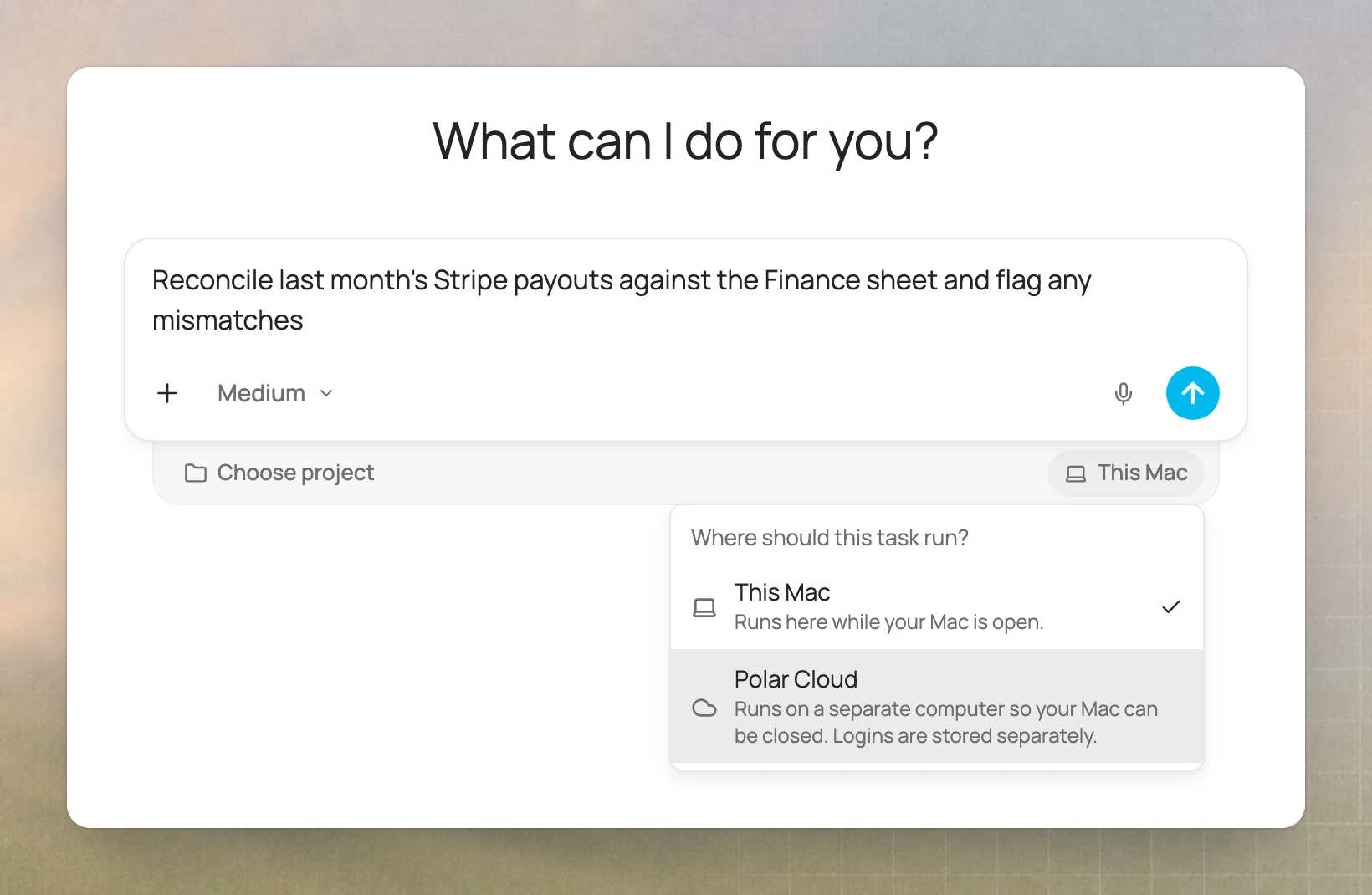
Anyone can now run tasks on Polar Cloud. It's a separate computer, so tasks keep going when your Mac is closed. Pick This Mac or Polar Cloud under the message box. To move a thread, use + → Run on. Polar Cloud has its own logins, separate from your Mac's.

Choosing where a task runs: This Mac or Polar Cloud

Also new

  • Sidebar shortcut. ⌘\ now shows and hides the sidebar. It used to be ⌘B. You can change it in Settings → Agent → Keyboard shortcuts.
  • Bigger attachments. You can attach up to 1 GB per message.

Connectors

New: Quo (formerly OpenPhone), Telnyx, ElevenLabs, Monaco, Firecrawl, Mem, Metis, and Tracerfy. GoHighLevel is back.

Fixes

  • Pages no longer show up blank on computers without graphics acceleration.
  • Polar uses less CPU while tasks run.